Why CSS Darkgray Is Lighter Than Gray
CSS darkgray is lighter than gray. Check the exact values, understand named-color aliases, and choose colors by their role instead of their label.
4 min read
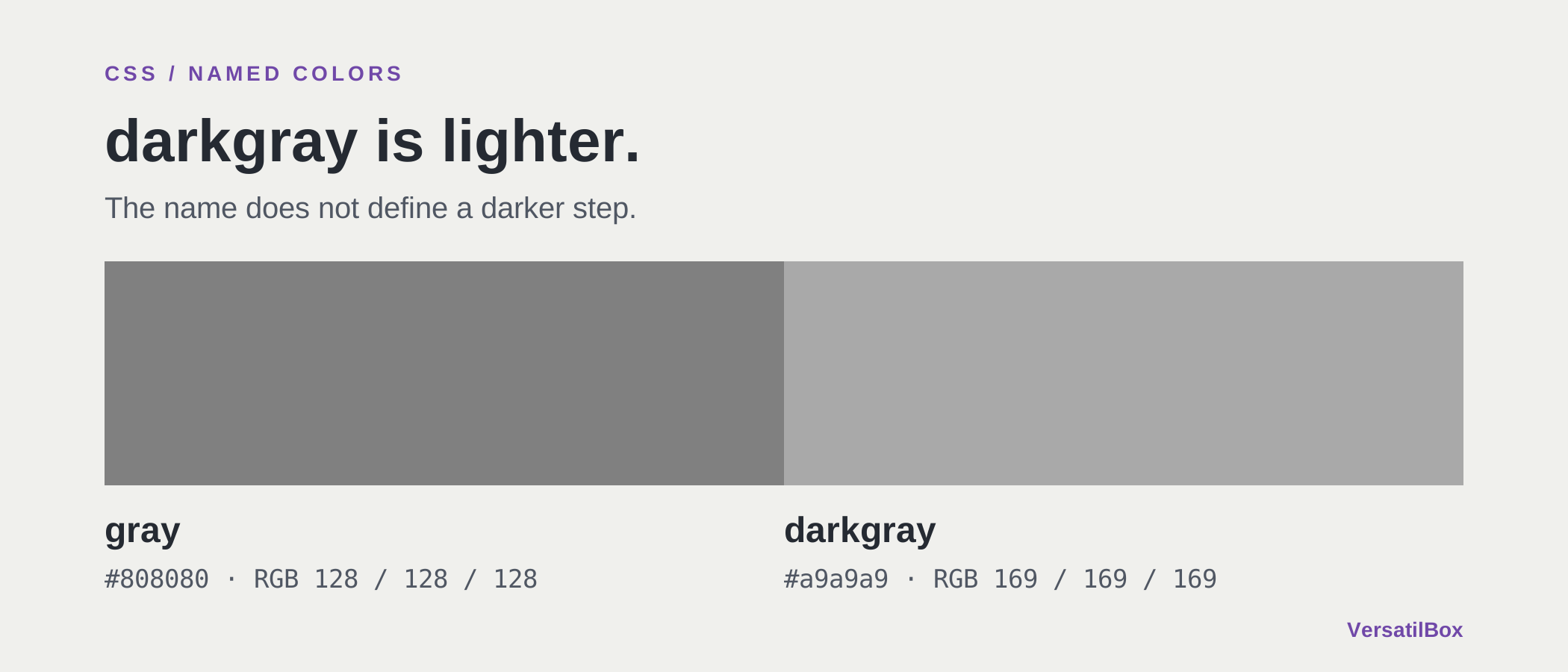
In CSS, darkgray is lighter than gray. The names map to fixed sRGB values: gray is #808080, while darkgray is #a9a9a9. A word that sounds like a darker step is actually a lighter color.
This is a useful warning when you build a neutral palette. CSS color names are predefined values, not instructions to make another color darker or lighter. Before assigning one to text or a border, inspect the value and its background together.
Gray vs. Darkgray: The Exact CSS Values
The W3C named-color table defines both colors:
grayequals#808080, or RGB 128, 128, 128.darkgrayequals#a9a9a9, or RGB 169, 169, 169.
Both are neutral grays with equal red, green and blue channels. In this comparison, the higher channels make darkgray the lighter swatch. There is no browser interpretation of the English adjective that can reverse those definitions.
Suppose you have a pale interface and replace color: gray with color: darkgray, expecting stronger text. The replacement moves the text closer to white. The label suggested one direction; the actual color moved in the other.
Why Are CSS Color Names Inconsistent?
The names were not designed as a single ordered palette. CSS Color 4 explains that the original set came from the VGA palette and that many later names came from an X11 color system. Their established use is the reason the specification preserves them.
That history leaves a vocabulary with familiar names, spelling alternatives and some surprising relationships. The specification itself calls out darkgray as lighter than gray. A name containing “light” or “dark” is therefore not a reliable way to calculate a relationship to another named color.
Treat each name as an entry in a lookup table. If you need a lighter version of your own brand color, choosing a name with “light” in it does not perform that transformation. You need an actual color adjustment, followed by a review of the resulting value.
Different CSS Names Can Mean the Same Color
Some names are aliases with identical values. For example:
grayandgreyboth mean#808080.darkgrayanddarkgreyboth mean#a9a9a9.aquaandcyanboth mean#00ffff.
These are not slightly different shades. Switching between the names in a pair does not create a new color. The W3C table lists their equivalent numeric values explicitly.
This matters when you review a stylesheet. Two declarations with different words may produce the same appearance, while two apparently related words may produce a change you did not intend. Compare the values before deciding whether a palette contains a duplicate or a meaningful variation.
Check a Named Color Before Using It
Search our CSS color names reference for gray and darkgray. Compare their hex values and swatches, then try the spelling alternatives. This is a quick way to separate a naming assumption from the color the browser will use.
For an interface review, ask what the color needs to do. Is it a divider that should remain visible on a raised panel? Is it secondary text on a white page? Those roles require a relationship with the surrounding colors, not a particular adjective in the name.
Write down the actual foreground and background pair when evaluating text. A color name alone does not specify that pair, and it cannot establish whether the contrast is sufficient. Our WCAG contrast guide explains how to assess it.
Give Interface Colors Names Based on Their Roles
In your own stylesheet, a small set of custom properties can make the intended use clearer:
:root {
  --text-secondary: #595959;
  --surface-muted: #f4f4f4;
}
These names describe a role in your design. Their values are your choices; the example is a starting point, not a complete theme or a guarantee for every background.
If a theme needs different secondary text, change the value assigned to that role. This is easier to reason about than assuming a sequence such as lightgray, gray, darkgray is ordered by increasing darkness. The actual sequence does not follow that order.
Opaque CSS named colors still have fixed numeric definitions when your page switches themes. A word such as gray does not automatically become an appropriate dark-theme text color. Your theme needs to choose the value that suits the role and its new surroundings.
Use the named-color table when you need to identify an existing value. When designing a palette, choose and verify the relationships yourself. The browser follows the defined color value, even when its name sounds misleading.